


Amazon Photos: Photo & Video
4.7133.58K Reviews
App Specs
- Version
- Varies with Device
- Updated On
- License
- Free
- Downloads
- 50,000,000+
- Developer
- Amazon Mobile LLC
- Categories
- Photography
- Platform
- Android, iOS
Screenshots
 Analysis by AppCompare
I use a photo backup app less for the promise of a perfect digital archive than for the small moments when I need a picture and can’t remember which device has it. Amazon Photos: Photo & Video is most appealing when you already use Amazon and want a straightforward place to keep a photo library reachable across devices. It is a free photography app from Amazon Mobile LLC, rated for Everyone, and it has a 4.7 average from around 1.1 million ratings. Its audience is clearly large, but the useful question is whether its storage setup matches the way you actually take and keep pictures.
What the app is best at today
The central idea is simple: sign in with an Amazon account, let photos upload, and browse them later from another device. In my experience, that makes the app less of a photo editor and more of a cloud library and backup tool. It can be a practical second home for pictures you want to keep accessible, especially if your phone’s local storage is crowded or you move between devices.
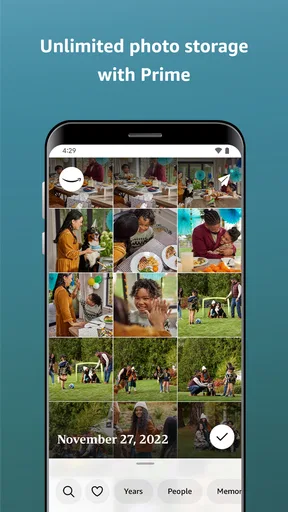
Prime membership changes the calculation. Prime members get unlimited photo storage, while video storage is limited to 5 GB. That distinction matters if your camera roll is mostly still images, but it is less generous for anyone who records lots of long clips. Amazon Photos is free to install, with in-app purchases listed from $0.99 to $11.99 per item; I would check the available options in the app before treating any purchase as a complete solution for a video-heavy library.
How it fits into an existing routine
When it comes to storing precious memories, Amazon Photos offers a seamless experience. Setting it up was a breeze. All I had to do was download the app and sign in with my Amazon account. Next thing I knew, my photos were uploading to the cloud faster than you can say "cheese"! It's a relief knowing that my photos are safe and accessible from any device. This is especially handy for those of us who tend to misplace our phones more often than we care to admit.
A useful habit is to check that a recent photo has appeared in the cloud before relying on the service as your only copy. Backup is only reassuring when it has actually completed, and a large first upload can take time depending on your connection and library. I would also keep particularly important originals in a second place if losing them would be serious. A cloud library is convenient, but treating one app as the sole keeper of irreplaceable pictures leaves little room for error.
Storage, video, and household sharing
Now, let's talk about the features that make this app a must-have. One of my favorites is the unlimited photo storage for Prime members. Yes, you heard that right! If you’re already a Prime member, you can store as many photos as you want without worrying about running out of space. For videos, there’s 5 GB of storage, which is decent but can be expanded if needed.
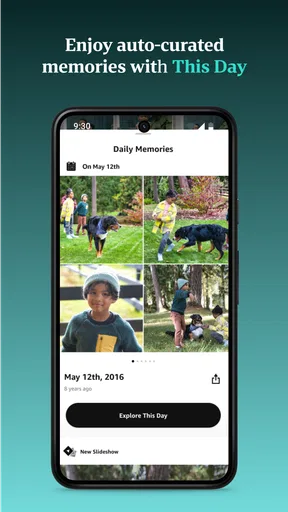
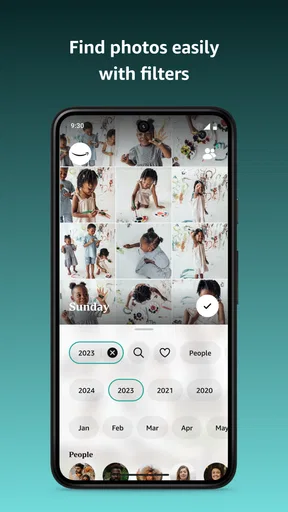
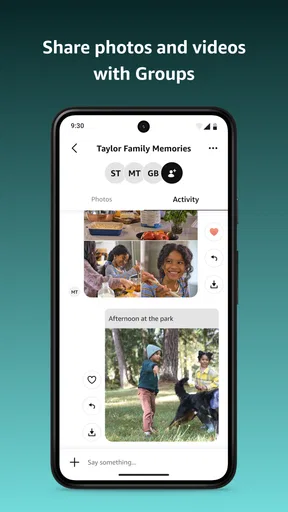
The app also includes a neat "Family Vault" feature, where you can invite up to five family members to share and store photos, making it a wonderful way to keep everyone connected. Plus, the search functionality is pretty impressive, allowing you to find photos based on locations, dates, and even the people in them. It’s like having a personal photo assistant right in your pocket!
Worth Reading Before You Choose

Flipboard Shows What News Apps Must Do Beyond the Feed

Switching to Android Auto Means Rethinking Your Driving Routine

Google Calendar Makes a Crowded Week Easier to Manage

Ludo King Makes the Most of the Minutes Between Plans

Baby Panda World Brings Quick Play to Modern Phones, but Its Game Library Feels Busy

ESPN’s Live Game View Makes Following Close Games Easier
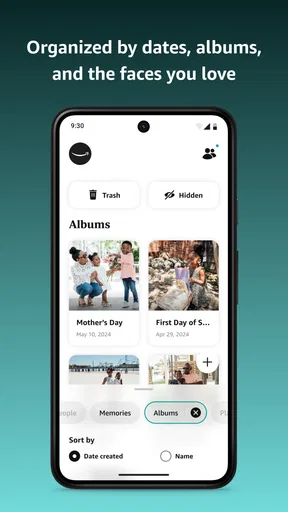
Family sharing is most useful when everyone agrees on what belongs in the shared space. I would use it for trips, birthdays, or pictures of children that relatives want to see, rather than assuming every personal camera-roll image should be shared. Before inviting others, decide who should contribute and who should simply browse; that small conversation can prevent a shared collection from becoming an indiscriminate dump. Search also works best as a convenience for narrowing down a large archive, not as a reason to skip sensible organization. Keeping a few albums for major events makes later browsing easier even when the app can search by date or people.
Printing, sharing, and viewing on a larger screen
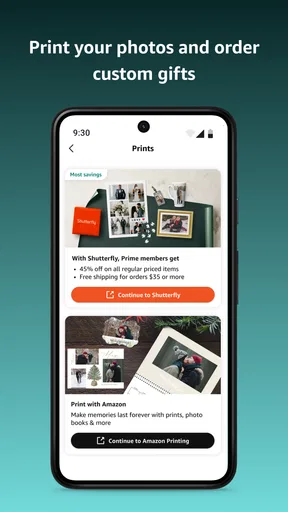
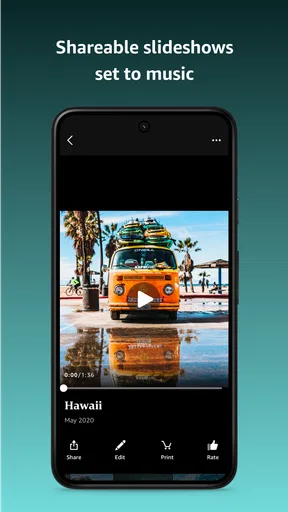
If you love having physical copies of your photos, you’ll appreciate the printing options available. You can easily order prints, photo books, and even custom gifts directly from the app. And sharing photos is as simple as pie, whether you’re sending them to friends or posting them on social media.
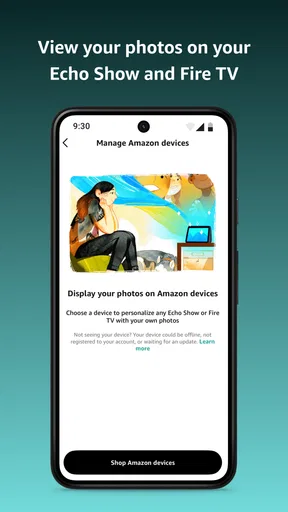
The integration with Alexa devices is another cool perk. Just ask Alexa to show your photos and voilà! Your memories are displayed beautifully. It's perfect for reliving those unforgettable moments with family and friends.
These extras make the app more appealing to people who want their photos to leave the phone screen: a holiday album can become a book, or a selection can be displayed at home. I would still think about the destination before sharing. A private family collection and a public social post serve different purposes, and the latter deserves a quick check for faces, location clues, or images that were never meant for a wider audience. For a one-off print or gift, in-app ordering is convenient; for someone who already has a preferred print service, keeping Amazon Photos as the archive and ordering elsewhere may feel more natural.
Where it falls short compared with alternatives
While I am personally thrilled with the features, it's worth mentioning that if you’re not a Prime member, the storage options are a bit limited. However, for Prime members, the value is unbeatable. The user interface is intuitive, making navigation a walk in the park. Plus, the peace of mind knowing your photos are securely backed up is priceless.
The biggest practical trade-off is the split between photos and video. If your library is dominated by clips, the included video allowance may not keep pace, so a service built around a larger shared media plan—or simply moving older videos to a separate archive—could suit you better. Google Photos and Apple Photos are familiar alternatives for people whose libraries already revolve around their respective phone ecosystems. Their appeal is the convenience of staying close to existing device habits; Amazon Photos makes more sense when Prime photo storage and Amazon services are already part of your routine. I would not switch a well-organized library just for a new app unless its storage or sharing arrangement solves a real problem.
There is also a difference between backup and an edited, curated collection. Amazon Photos can help preserve and retrieve pictures, but people who spend most of their time adjusting images, building elaborate albums, or managing a professional workflow may prefer a dedicated editing or cataloging tool alongside it. I would keep my editing process separate and use this app as the accessible copy, rather than expecting one service to be the best at every part of photography.
Everyday use and the decision to keep it
A realistic use case is a family day out: I take pictures on my phone, let the library upload when I am back on a reliable connection, then use search or an event album to find a handful worth sharing with relatives. Later, I can choose a few for a print or display them through an Alexa device. The convenience comes from having one place to look, not from eliminating every step. Checking the upload, choosing what to share, and keeping video needs in mind are still part of the routine.
Who should choose it—and who should pass
I would recommend Amazon Photos to a Prime member whose camera roll is mostly photos, who wants access across devices, and who values family sharing or Amazon-connected viewing. It is also a sensible option for someone looking for a second copy of a phone library without paying just to try the app. The app has been available since November 2, 2012, supports devices running iOS 8.0 or later, and has passed 50 million installs, so it is an established service rather than a new experiment.
I would hesitate if I were not a Prime member and had a large library to protect, or if videos were the main thing I wanted to store. I would also skip it as my primary photography tool if I needed detailed editing, a carefully controlled professional archive, or a library organized around another platform’s existing features. Those users may be happier with a service that fits their current devices and storage plan, even if Amazon Photos remains useful for a separate set of images.
What I would check before relying on it
Before moving a whole camera roll, I would test the upload with a small batch, confirm that the pictures appear on another device, and check how video storage fits my habits. I would also decide whether Family Vault is for a shared selection or a broader household collection, then invite people accordingly. These steps take a little time, but they answer the questions that matter in practice: whether the backup is working, whether relatives can use the shared space comfortably, and whether the storage arrangement suits the files I actually make.
Amazon Photos has a clear strength: for Prime members with photo-heavy libraries, it makes keeping and finding pictures feel uncomplicated. Its main limitation is equally clear: the video allowance and the value of the service depend on your membership and media habits. I see it as a useful cloud photo library, not a universal replacement for editing software or every other backup. If its storage model fits your routine, it is worth trying; if it does not, choosing a service built around your device ecosystem or video needs is the more sensible move.
Considerations and My Final Take
While I am personally thrilled with the features, it's worth mentioning that if you’re not a Prime member, the storage options are a bit limited. However, for Prime members, the value is unbeatable. The user interface is intuitive, making navigation a walk in the park. Plus, the peace of mind knowing your photos are securely backed up is priceless.
In a nutshell, if you’re on the lookout for a reliable and user-friendly photo storage solution, Amazon Photos: Photo & Video is definitely worth checking out. It’s like putting your photos in a safety deposit box that you can carry around with you everywhere. And honestly, who doesn't want that?
Pros
- Unlimited photo storage for Prime members.
- Easy photo sharing with family and friends.
- Automatic backup keeps memories safe.
- User-friendly interface for all ages.
- High-quality photo and video playback.
Cons
- Limited video storage unless upgraded.
- No advanced editing tools available.
- Occasional sync issues on some devices.
- Requires Amazon account for access.
- Limited offline viewing options.
FAQs for Amazon Photos: Photo & Video
What is Amazon Photos and how does it work?
Amazon Photos is a cloud storage service provided by Amazon that allows users to store, organize, and share their photos and videos. It offers unlimited photo storage for Amazon Prime members and up to 5 GB for videos and non-Prime users. The app automatically backs up your media, keeping your memories safe and accessible from any device.
Is Amazon Photos free to use?
Amazon Photos offers different pricing options. Amazon Prime members benefit from unlimited photo storage at no extra cost and 5 GB of video storage. Non-Prime users receive 5 GB of free storage for both photos and videos. Additional storage plans are available for purchase if more space is needed.
How secure is my data on Amazon Photos?
Amazon Photos provides high-level security for your data. It uses encryption methods to protect your files both in transit and at rest. Additionally, Amazon’s data centers are equipped with advanced security measures to ensure your data remains safe. Users can also enable two-factor authentication for added protection.
Can I share my photos and videos with others using Amazon Photos?
Yes, Amazon Photos allows you to easily share your photos and videos with friends and family. You can create shared albums, send links to specific files, or invite others to view and add photos to shared collections. The app ensures that your shared content is accessible to only those you choose to share it with.
Does Amazon Photos offer any photo editing features?
Amazon Photos includes basic photo editing tools to enhance your images. You can crop, rotate, and apply filters to your photos directly within the app. While it doesn’t offer advanced editing features found in specialized software, it provides enough tools for quick and simple adjustments.


